Interactive math lessons can be assigned to classes. Lessons have several activities and take between 15 and 30 minutes to complete depending on the activity and the class.
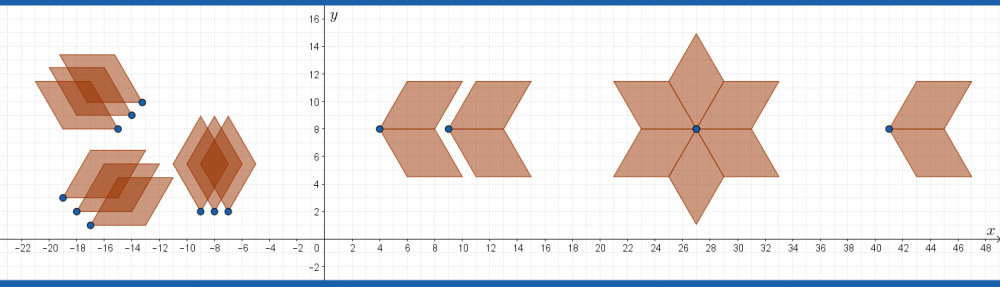
Newest: Symmetry, dynamic rotation designs
To do a lesson, click the link and go ahead. To assign a lesson to a class, click the ‘google classroom’ or the ‘geogebra classroom’ button at the top right on the activity and follow the instructions. You will be able to see your students complete the task in real time on your own screen.
To add/remove components of an activity, click the three dots and select ‘copy activity’.
| NUMBER | GEOMETRY |
| ALGEBRA | THE CARTESIAN PLANE |
| LINEAR FUNCTIONS | FUNCTIONS |
| TRIGONOMETRY | MISCELLANEOUS |

| Number Menu | Description |
|---|---|
| Equivalent Fractions | Use circle diagrams to compare fractions and create equivalent fractions |
| Geometry Menu | Description |
| Rectangle Robots | Learn about rectangles: Length, Width, Area, Play & Create |
| Matching shapes | Play with rectangles and triangles. |
| Parallelograms | Define, play, calculate the area of a parallelogram. |
| Reflect 2D shapes | Reflect various shapes over a line. |
| Enlarge 2D shapes | with scale factor 2 and 3 |
| Learn to measure angles | Estimate and measure angles up to 180 degrees. |
| Polygons and Polygrams | Create regular polgyons/polygrams and look for patterns. |
| Symmetry:rhombus patterns | Create three designs using a 45 or 60 degree rhombus. |
| Symmetry:rotation patterns | Create dynamic rotational symmetry designs with the rotation tool. |
| Tilted Square: | Investigate calculating the Hypotenuse before learning the Pythagorean Theorem |
| Transformations: Enlarge, Reflect, Rotate | Learn to use the GeoGebra transformation tools |
| NEW: Learn Pythagorean Theorem Squares, Learn Sides, Learn Squares and Sides,Learn Projector version | Explore and learn the Pythagorean Theorem |
| Pythagorean Theorem, Practice | Right Triangles, Use the Pythagorean theorem |
| Scale Factor and Area | Investigate the relationship between linear scale factor and area. |
| Algebra Menu | Description |
| Gather like terms | Gather coins representing terms |
| The Cartesian Plane Menu | Description |
| Drawing with slope | Copy drawings using slope |
| Sorting Slope | Sort line segments by slope value |
| Plot the points | Use all four quadrants to plot a simple image |
| Rectangles on the Cartesian plane | Concept builder for the slope formula and the distance formula. |
| Animate a fish | Use variables to generate motion |
| Linear Functions Menu | Description |
| Coordinates and Linear Functions | Use written instructions to plot points on a linear function |
| Coordinates with a fixed x value | Use written instructions to plot points on a linear function |
| Linear Function 2 steps | Identify the two step calculation from x to y |
| Identify a linear function | Use a dynamic point to help calculate the equation of a linear function |
| Linear Function Patterns | Identify linear functions used to create a pattern |
| Functions Menu | Description |
| The blue square function | Determine the function of the area of an inscribed square |
| Trigonometry Menu | Description |
| Introduction to Trigonometry | Investigate a triangle with hypotenuse 1 |
| Miscellaneous Menu | |
| Tell the time | Reading the analogue clock |
Middle School Interactive Quizzes
| Geometry | Practice (no scoring) | Quiz |
|---|---|---|
| Areas rectangles/triangles (one base orientation) | Area Rectangles & Triangles Practice A | Area Rectangles & Triangles Quiz A |
| Areas rectangles/triangles (two base orientations) | Area Rectangles & Triangles Practice B | Area Rectangles & Triangles Quiz B |
| Count/Calculate missing points on rectangles | Rectangles and Points on the Cartesian Plane |
Secondary interactive quizzes: tentotwelvemath.com/interactive/interactive-math-quizzes/
Top Interactive Menu