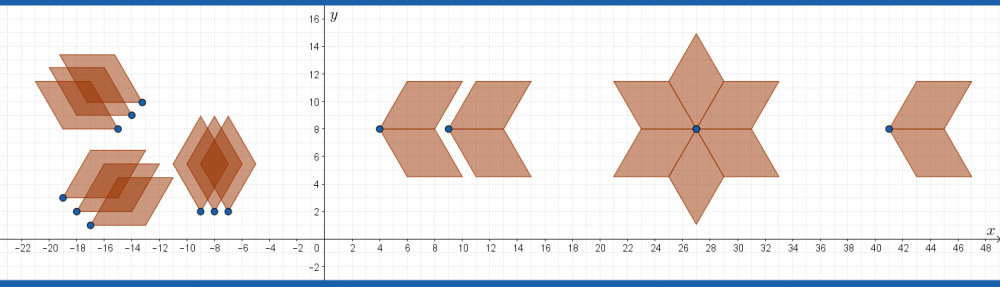

A sequence of polygons
Use the following instructions to explore, edit and create sequence diagrams.
To begin, open a GeoGebra classic page, (close the keyboard) and open a long input bar at the bottom as follows:

For each command given as an example, either type carefully to include all brackets or copy and paste into the input bar on the GeoGebra page.
A Sequence
A sequence until now has simply been a list of numbers. The sequence command in GeoGebra is as follows:

Fill in the input options as follows:

Sequence(2n+1,n,1,10,1)
Press enter, to generate a simple sequence of numbers:

Sequence of points
A point is an ordered pair: it contains an  and a
and a  coordinate. To draw a graph of an arithmetic sequence, we use the values
  to represent the place in the sequence.
Copy/Type in the sequence command
Sequence((n,2n+1),n,1,10,1)
This command generates the set of points
![\[(1,3), (2,5), (3,7), (4,9), ... , (10,21)\]](https://tentotwelvemath.com/wp-content/ql-cache/quicklatex.com-c8881a0879ea225163309a3ed858976d_l3.png "Rendered by QuickLaTeX.com")
Sequences of Circles
The circle command requires a point for the center, and a radius.

Example 1. Refresh your GeoGebra screen and type in the following set of circles, one at a time:
Circle((1,1),1)
Circle((2,2),1)
Circle((3,3),1)
Circle((4,4),1)
This should give four circles, all with different centers but radius 1.
What they have in common is that the centers are at the point (n,n) between  and
and 
Now, reset the screen and enter all of them together with one sequence command:
Sequence(circle((n,n),1),n,1,4,1)
This means, circle center (n,n) with radius 1, for all values of n between 1 and 4, going up in ones.
Example 2.
Now enter
Sequence(circle((n,n),1),n,1,4,0.1)
Which means, circle center (n,n) with radius 1, for all values of n between 1 and 4, going up in 0.1s – which draws a total of 31 circles!
Example 3. Suppose we make a sequence of circles with center  and with radius
  .
.
Try out the following command:

Sequence[Circle[(10,5),n],n,1,5]
Example 4. Now let’s add the ‘increment parameter’ and make it 0.1, to draw many more circles.
Sequence[Circle[(10,5), n], n, 1, 5, 0.1]
The final parameter changes the increment of from the default value 1 to 0.1. More steps between 1 and 5 – more circles.
Make some of your own
- Make a sequence where the center of the circle is constant, but the radius changes.
- Make a sequence where the center of the circle changes, but the radius is constant.
- Make a sequence where the center and the radius both change.
Figure out the sequence command
Now see if you can reproduce the following diagrams:
TUnnel

eye 1

eye 2

Sequences of Line Segments
The following diagram uses the sequence command along with the command Segment[<point>,<point>] to create a sequence of line segments.
Example 1. What will the following command produce? Try it out.

Example 2. Observe the start/end point to a few of line segments to see the pattern of start and end points.
